Welcome to the Tobii-Pytracker documentation
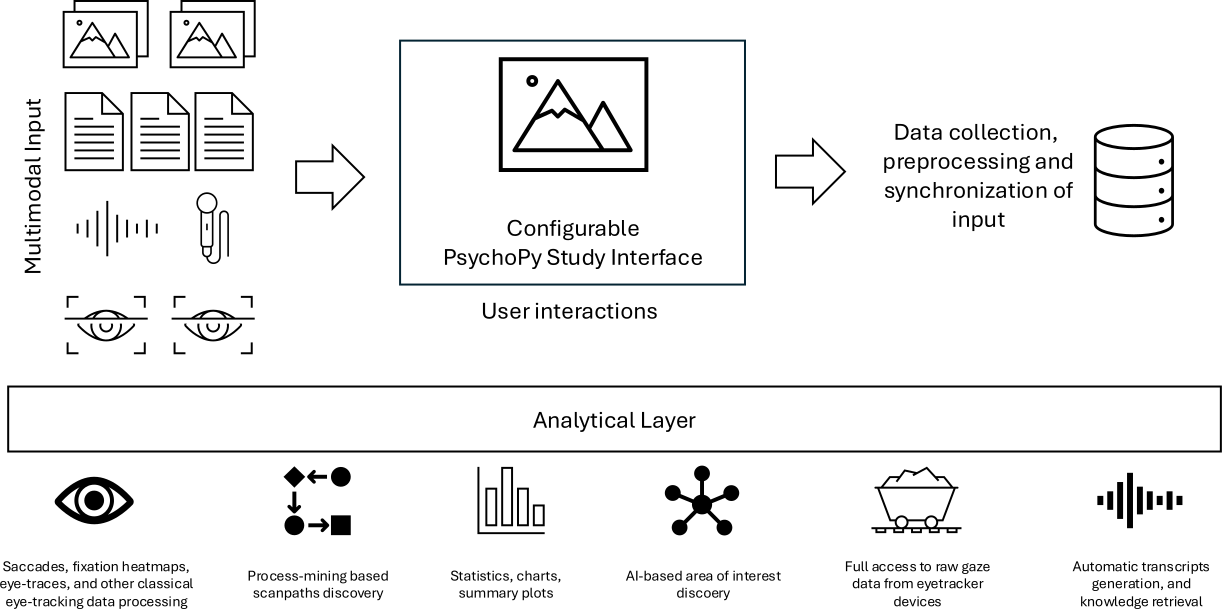
Tobii-Pytracker is a Python-based framework for Tobii eye tracker experiments, analysis, and multimodal data collection.
Install
Tobii-Pytracker can be installed from either PyPI or directly from source code GitHub. Currently the software requires Python “>=3.10,<3.11” and is compatible with Windows, Linux, and Docker environments.
To install form PyPI:
pip install tobii-pytracker
To install from source code:
git clone https://github.com/sbobek/tobii-pytracker
cd tobii-pytracker
pip install .
pip install "psychopy>=2024.1.4,<2025.1.0" --no-deps
Additionally, if you plan to use VoiceTranscriptionAnalyzer, install whisper:
pip install openai-whisper==20250625
To run it in headless mode, just recording all of the gaze data from Tobii eye tracker just run the following command in the environment where tobii-pytracker is installed. The –raw_data flag will save all of the raw data from the eye tracker, not only gaze and pupil size narrowed to defined area of interest:
tobii-pytracker --disable_psychopy --raw_data
Note that this requires Tobii Hardware to be connected and calibrated. In case you want to run it with mouse emulation, you can use the following command:
tobii-pytracker --eyetracker_config_file ./configs/mouse_eyetracker_config.yaml --enable_eyetracker
Tutorials on data collection
Tutorials on data analysis
Reference
Development